DevelopersEmergency stop
Emergency stop
Reference for Developers > Emergency stop: pause or resume Script Monitoring for a team, who can do it, and what keeps running while it is on.
Developers > Emergency stop pauses or resumes Script Monitoring for one team. While it is on, the team's automatic script URLs serve an empty monitoring script, so pages on every domain in the team are not monitored. It was called Developer Mode before. It is a switch for the monitoring itself: it does not block, remove or change any other script on your pages.
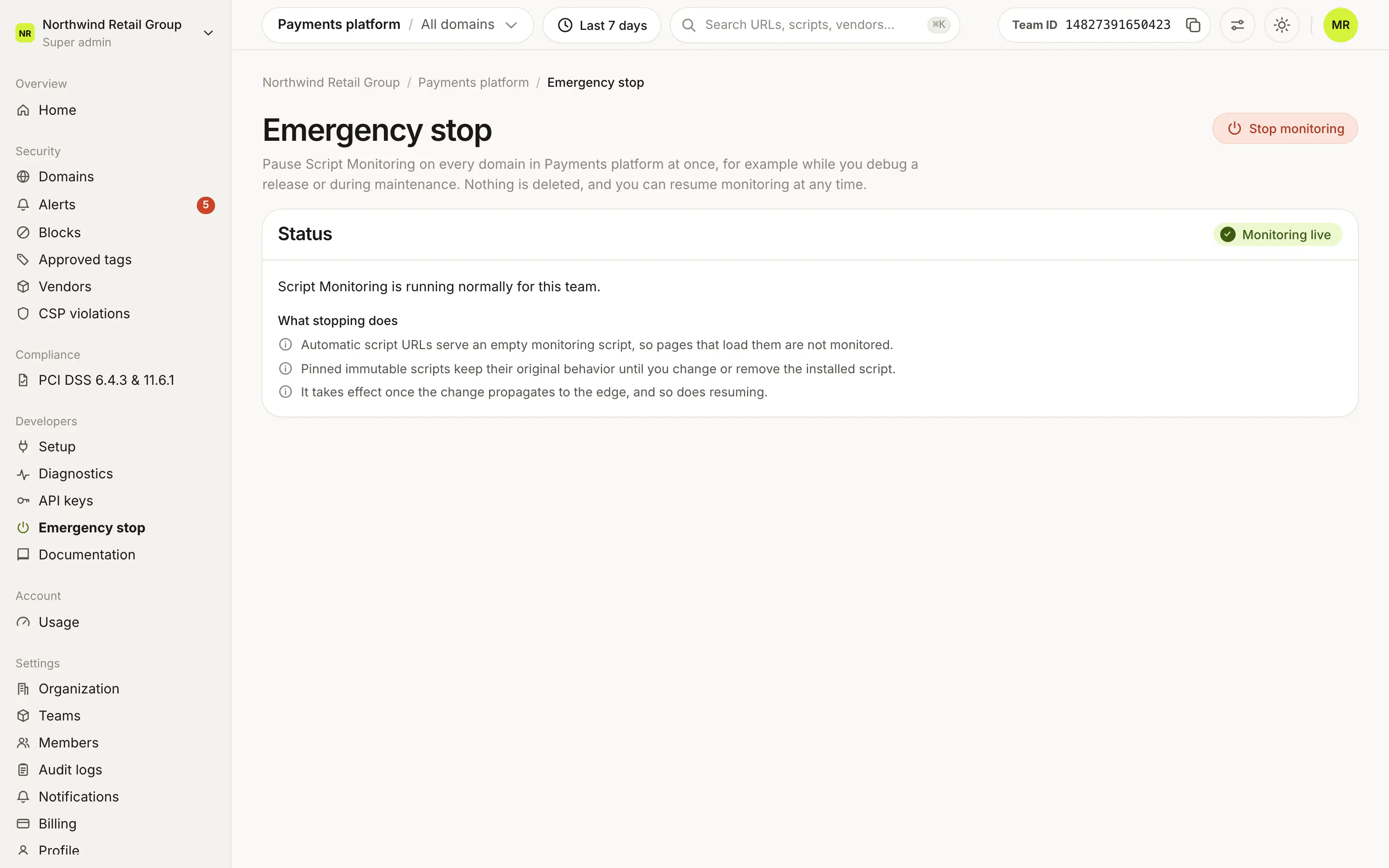
What states can it be in?#
| Status | Meaning |
|---|---|
| Monitoring live | Script Monitoring is running normally for the team. |
| Stopped | Emergency stop is on. Script Monitoring is paused for this team, and a banner across the dashboard says Emergency stop is on. |
How do I stop monitoring?#
- Open Developers > Emergency stop. The Status card says Monitoring live.
- Click Stop monitoring.
- Read the confirmation, "Stop monitoring for this team?", and click Stop monitoring.
- The status changes to Stopped, and the banner appears across the dashboard.
How do I resume?#
Click Resume monitoring, either on the Emergency stop page or in the banner, and confirm. Then check Diagnostics: the Scripts stream returns to Receiving as pages are visited.
What changes while it is on?#
- The team's automatic script URLs serve an empty monitoring script, so pages that load them are not monitored.
- Stopping takes effect once the change reaches the Script Monitoring edge, and so does resuming.
What stays the same?#
- The tag stays on your pages. You do not need to deploy anything to stop or resume.
- Pinned immutable scripts keep their original behavior until you change or remove the installed script.
- Nothing is deleted. Your settings and data stay in the dashboard.
- Other teams are not affected: Emergency stop applies to one team.
- There is no timer. Monitoring stays paused until someone resumes it.
Who can use Emergency stop?#
Super admins and Admins of the team. Viewers see the page with "Only Super admins and Admins of this team can stop or resume monitoring."
Frequently asked questions#
Does Emergency stop block scripts?
No. It pauses Script Monitoring for the team. It does not block or remove anything on your pages. To stop a script from loading, use Blocks.
Does Emergency stop delete anything?
No. Nothing is deleted, and you can resume monitoring at any time.
Does it remove the tag from my site?
No. The tag stays on your pages. While Emergency stop is on, the team's automatic script URLs serve an empty monitoring script, so those pages are not monitored.
What about immutable scripts?
Pinned immutable scripts keep their original behavior until you change or remove the installed script. Emergency stop does not affect them.
Is there a timer?
No. Emergency stop stays on until someone resumes monitoring.
Monitoring resumed but Diagnostics still says Not receiving.
The change reaches the Script Monitoring edge first, then pages have to be visited. The Scripts stream turns Receiving as reports arrive.