SettingsSSO
Single sign-on (SSO)
Reference for single sign-on: where to configure it, the Okta, Duo, Microsoft Entra ID and SAML 2.0 fields, how people sign in, and who can change it.
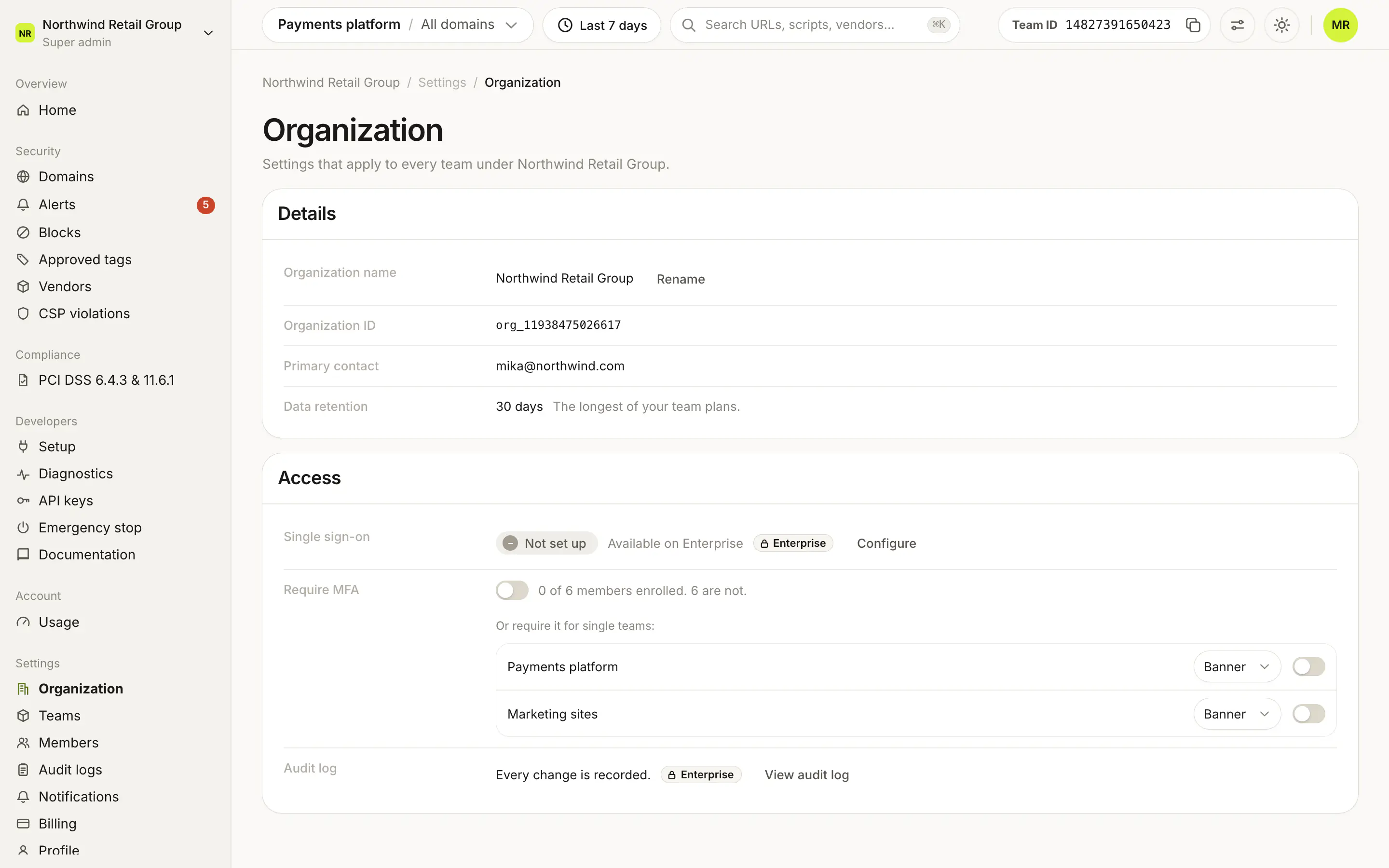
Single sign-on lets people with your company's email domain sign in to Script Monitoring through your identity provider. It is set up in Settings > Organization, in the Single sign-on row of the Access card. It works with Okta, Duo Security and Microsoft Entra ID over OpenID Connect, and with any SAML 2.0 provider. SSO is on Enterprise, and only Super admins can configure it.
What does the Single sign-on row show?#
The row shows Enabled with the provider (for example "SAML 2.0", "Okta OIDC", "Microsoft Entra ID OIDC" or "Duo OIDC"), or Not set up.
Configure opens the Single sign-on sheet. If no team in the organization is on Enterprise and SSO is not set up, the row reads "Available on Enterprise" and Configure opens the upgrade sheet instead.
Which identity providers can I pick?#
The sheet starts by asking for your identity provider. A provider you already set up shows a Set up badge.
| Option | How it connects |
|---|---|
| Okta | OpenID Connect with a client ID and secret. |
| Duo Security | OpenID Connect with a client ID and secret. |
| Microsoft Entra ID | OpenID Connect with a client ID and secret. |
| Any SAML 2.0 provider | Upload your identity provider's metadata. |
Continue opens the configuration step. Back returns to the list. SAML 2.0 is turned on per organization. If it is missing, contact us.
If Script Monitoring set up your SSO for you, the sheet says "Your organization's single sign-on is managed by Script Monitoring. Contact support to make changes."
What does an OpenID Connect provider need?#
| Field | What to enter |
|---|---|
| Email domain | People with this email domain sign in with SSO, for example example.com. |
| Okta endpoint, Duo endpoint or Entra tenant ID | Your provider's identifier, for example trial-9849483.okta.com for Okta. The label changes with the provider. |
| Client ID | The client ID of the app you created in your provider. |
| Client secret | The client secret. When editing, leave it blank to keep the existing one. |
The footer has Test connection, Save and, once configured, Remove. The first save, and any save that changes the email domain, asks you to verify: you sign in with your identity provider in a popup window, so allow popups for the dashboard.
What does SAML 2.0 need?#
The SAML step first shows two values to paste into the SAML application in your identity provider, each with a copy button:
- Assertion Consumer Service (ACS) URL
- Service provider entity ID (Audience)
Then it asks for:
| Field | What to enter |
|---|---|
| Email domain | Separate several domains with commas. A domain can only be claimed by one SSO configuration. |
| Metadata URL | Identity provider metadata URL. Preferred: signing certificates can be refreshed from it when your provider rotates them. |
| Paste metadata XML | Identity provider metadata XML, for providers that offer a download instead of a URL. Paste updated metadata when certificates rotate. |
Save SAML configuration saves it. A saved configuration shows the Identity provider, the Sign-on URL and the number of Active signing certificates. Refresh certificates (with a metadata URL only) re-reads the certificates, and Remove SAML removes the configuration.
How do people sign in with SSO?#
On the sign-in page, people click Single sign-on (SSO), enter their work email and click Continue with SSO. Script Monitoring sends them to the identity provider that owns their email domain.
Who can configure SSO?#
Super admins. Other roles do not see Configure. Setting up or changing SSO needs at least one team in the organization on Enterprise. Removing a configuration and signing in with one work on any plan.
Frequently asked questions#
Which identity providers are supported?
Okta, Duo Security and Microsoft Entra ID over OpenID Connect, and any SAML 2.0 identity provider.
I don't see the SAML 2.0 option. Why?
SAML 2.0 is turned on per organization. If it is not in the list, contact us to turn it on.
What happens if we leave Enterprise?
Setting up or changing SSO needs Enterprise. Signing in with an existing configuration and removing it do not, so nobody is locked out after a plan change.
What happens when I remove SSO?
People in your organization can no longer sign in with SSO. They sign in with their password instead.