Get startedNext.js
Install in a Next.js app
Install @scriptmonitoring/next and render ScriptMonitoringScript in pages/_document.tsx or your root layout, so the tag loads first on every page.
On Next.js you install Script Monitoring with the @scriptmonitoring/next package: render its ScriptMonitoringScript component in pages/_document.tsx (Pages Router) or your root layout (App Router). The component renders the synchronous script tag the dashboard gives every other method, so there is no index.html for you to edit.
How do I install the package?#
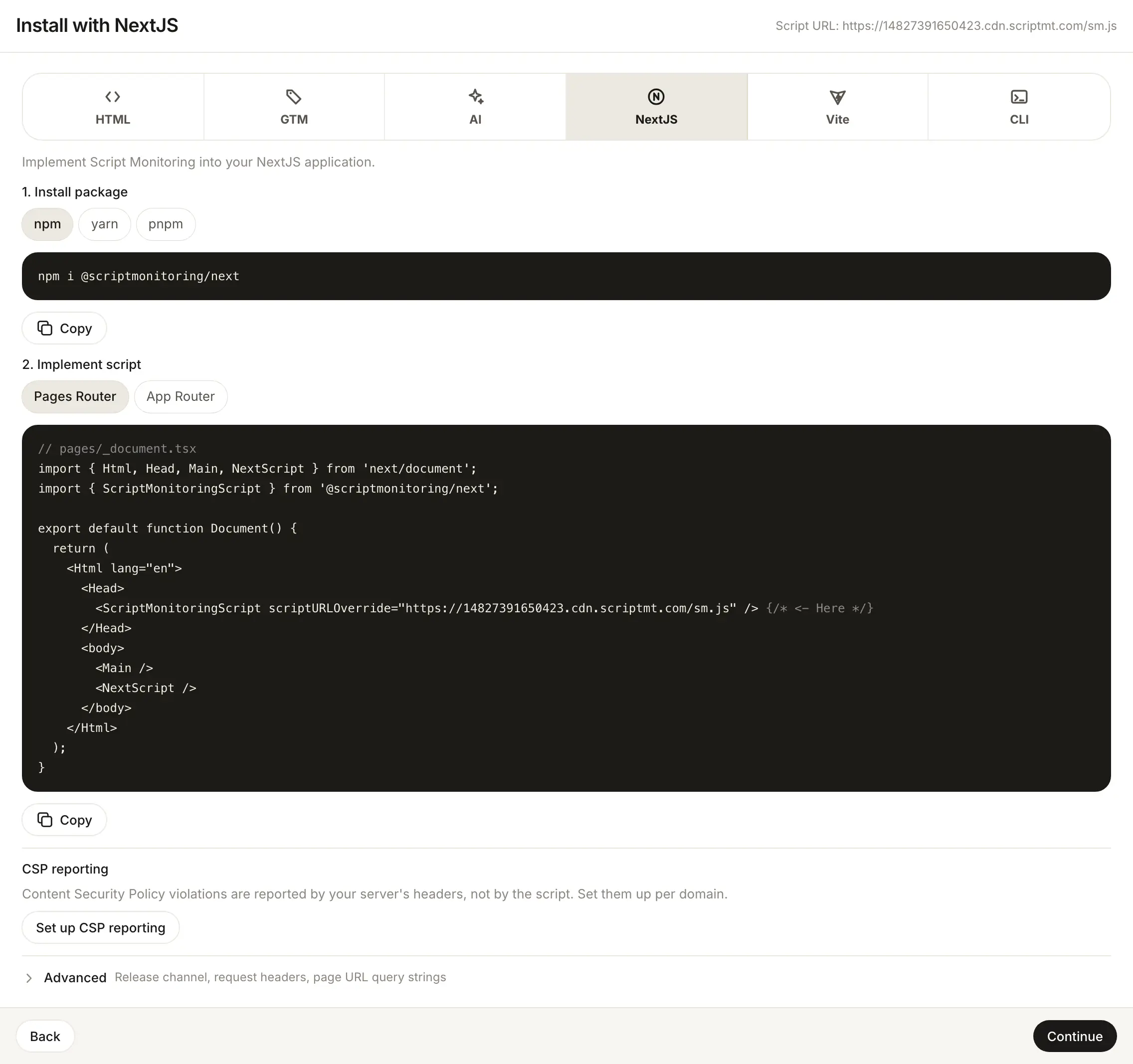
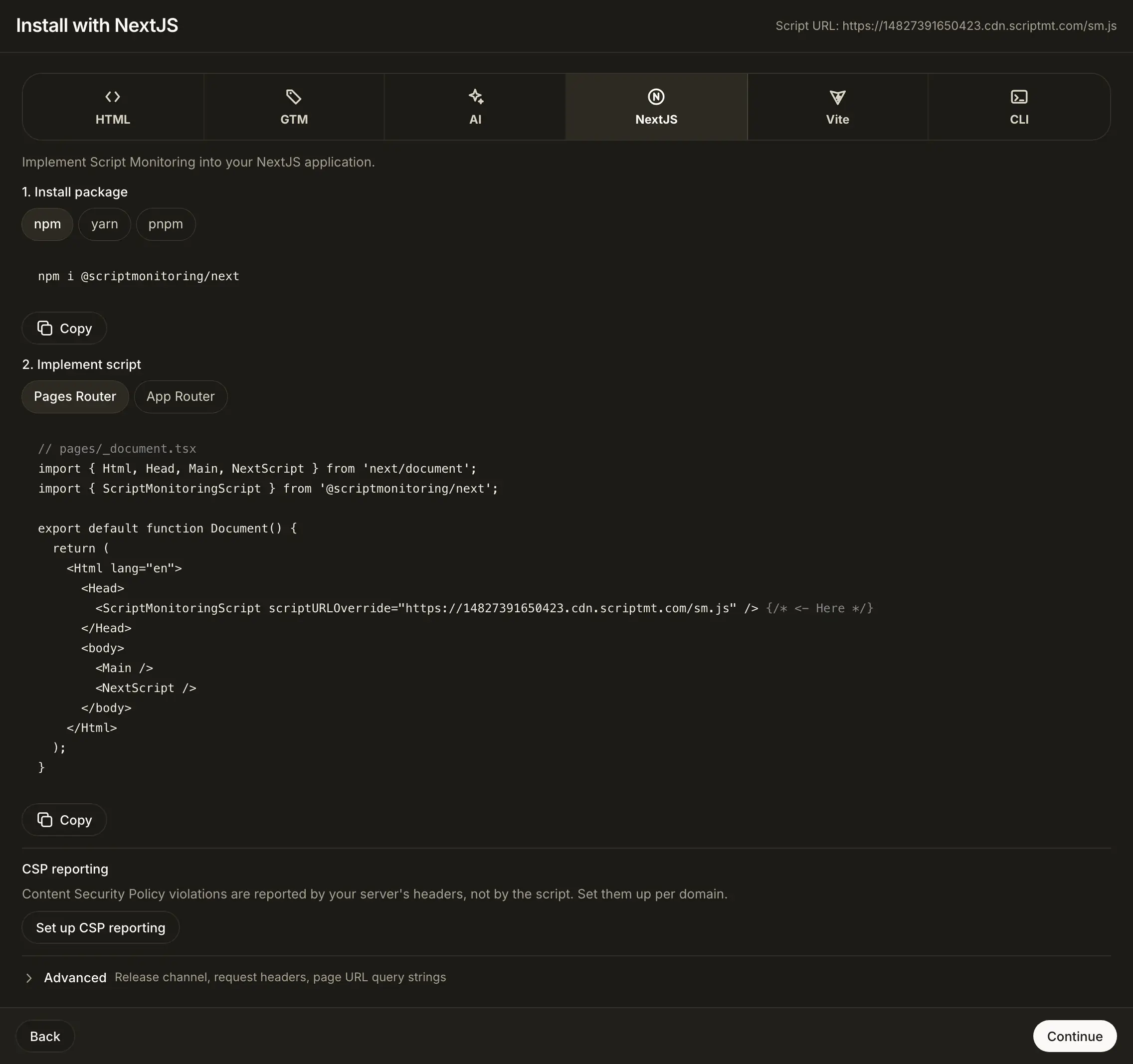
In the dashboard, open Developers > Setup, go to step 3, Install, and pick NextJS. Step 1 of the panel, Install package, has the command for your package manager:
npm i @scriptmonitoring/next
# or
yarn add @scriptmonitoring/next
# or
pnpm i @scriptmonitoring/next
How do I add the script with the Pages Router?#
Render ScriptMonitoringScript inside <Head> in pages/_document.tsx. This is the dashboard's Pages Router snippet, with your script URL filled in:
// pages/_document.tsx
import { Html, Head, Main, NextScript } from 'next/document';
import { ScriptMonitoringScript } from '@scriptmonitoring/next';

export default function Document() {
  return (
    <Html lang="en">
      <Head>
        <ScriptMonitoringScript scriptURLOverride="https://<teamID>.cdn.scriptmt.com/sm.js" /> {/* <- Here */}
      </Head>
      <body>
        <Main />
        <NextScript />
      </body>
    </Html>
  );
}
How do I add the script with the App Router?#
Render ScriptMonitoringScript in your root layout, before {children}. This is the dashboard's App Router snippet:
// layout.tsx
import { ScriptMonitoringScript } from '@scriptmonitoring/next';

export default function Layout({ children }) {
  return (
    <>
      <ScriptMonitoringScript scriptURLOverride="https://<teamID>.cdn.scriptmt.com/sm.js" /> {/* <- Here */}
      {children}
    </>
  );
}
What does ScriptMonitoringScript render?#
A plain <script> element with your script URL as src, referrerpolicy="origin", and async and defer turned off. You can pass either prop:
| Prop | Value |
|---|---|
scriptURLOverride | Your full script URL, as in the dashboard snippet. |
teamId | Your team ID. Builds https://<teamID>.cdn.scriptmt.com/sm.js. Takes priority over scriptURLOverride. |
Once it is deployed, load a page and check Verify it's working.
Frequently asked questions#
Should I use teamId or scriptURLOverride?
Either loads the same script. The dashboard snippet passes your full script URL as scriptURLOverride. teamId="<teamID>" builds the same https://<teamID>.cdn.scriptmt.com/sm.js URL, and wins if you pass both.
Why not use next/script?
Every next/script strategy loads the script after the page's own scripts can start. ScriptMonitoringScript renders a synchronous tag instead.
Does it work with the App Router and the Pages Router?
Yes. The dashboard has a snippet for each. Pick Pages Router or App Router in step 3.