Get startedCLI
Install with the CLI
Run npx @scriptmonitoring/cli after your build to inject the Script Monitoring tag into every static HTML file. Works for dist and .next output and in CI.
The Script Monitoring CLI injects the tag into your static HTML after your build: run npx @scriptmonitoring/cli@latest --team-id <teamID> as the last step of your build or CI job. It suits static sites and any build you would rather not change, and it keeps the tag in place without anyone editing HTML by hand.
How do I run it?#
-
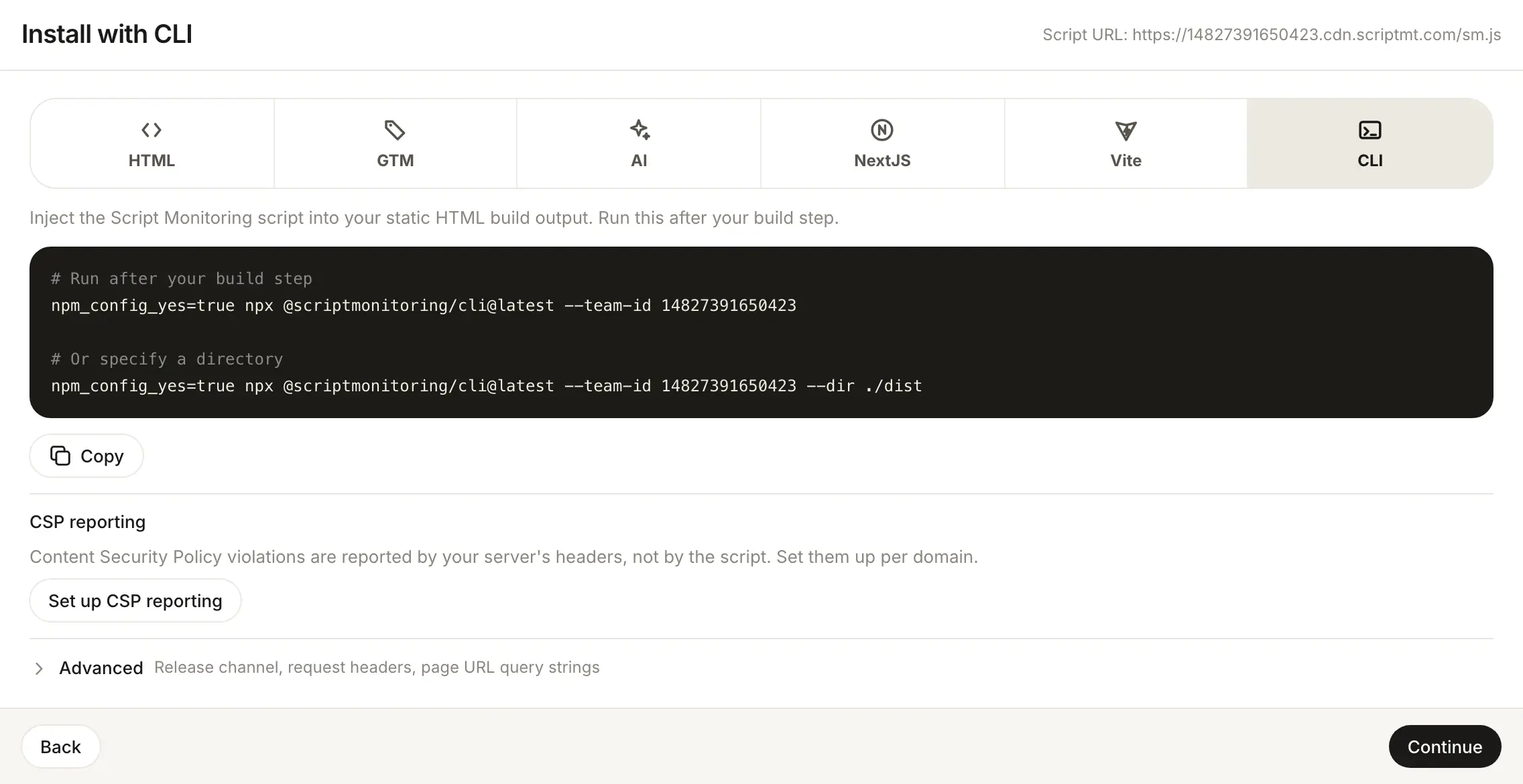
In the dashboard, open Developers > Setup, go to step 3, Install, and pick CLI. The panel says: "Inject the Script Monitoring script into your static HTML build output. Run this after your build step."
-
Copy the command. Your team ID is already in it:
# Run after your build step npm_config_yes=true npx @scriptmonitoring/cli@latest --team-id <teamID> # Or specify a directory npm_config_yes=true npx @scriptmonitoring/cli@latest --team-id <teamID> --dir ./dist -
Add it to your build, after the step that writes your HTML. For example, in
package.json:{ "scripts": { "build": "vite build && npm_config_yes=true npx @scriptmonitoring/cli@latest --team-id <teamID>" } } -
Deploy the processed files and check Verify it's working.
Which options does the CLI take?#
| Option | What it does |
|---|---|
--team-id, -t | Your team ID. Builds the script URL https://<teamID>.cdn.scriptmt.com/sm.js. |
--dir, -d | The folder (or single HTML file) to process. Defaults to dist, then .next. |
--silent, -s | Stops the CLI from listing each processed file. |
Run npx @scriptmonitoring/cli --help for the full list.
What does it change in my HTML?#
In every HTML file it finds (skipping node_modules and vendor), the CLI removes any existing Script Monitoring tag and inserts the current one before the first <link> or <script>:
<script src="https://<teamID>.cdn.scriptmt.com/sm.js" referrerpolicy="origin" data-src="..."></script>
Frequently asked questions#
Which folder does the CLI process?
By default it looks for dist, then .next, in the current directory. Pass --dir (or -d) to point it at another folder or a single HTML file.
Is it safe to run twice?
Yes. Before injecting, the CLI removes any Script Monitoring tag it finds, so a second run leaves one tag, not two.
Where in the HTML does it put the tag?
Right before the first <link> or <script> tag in each file, with referrerpolicy="origin".
What does npm_config_yes=true do?
It answers yes to npx's install prompt, so the command runs unattended in CI.