Get startedGoogle Tag Manager
Install with Google Tag Manager
Add the Script Monitoring tag as a GTM Custom HTML tag on All Pages to test it quickly. For production, install the tag directly in the head.
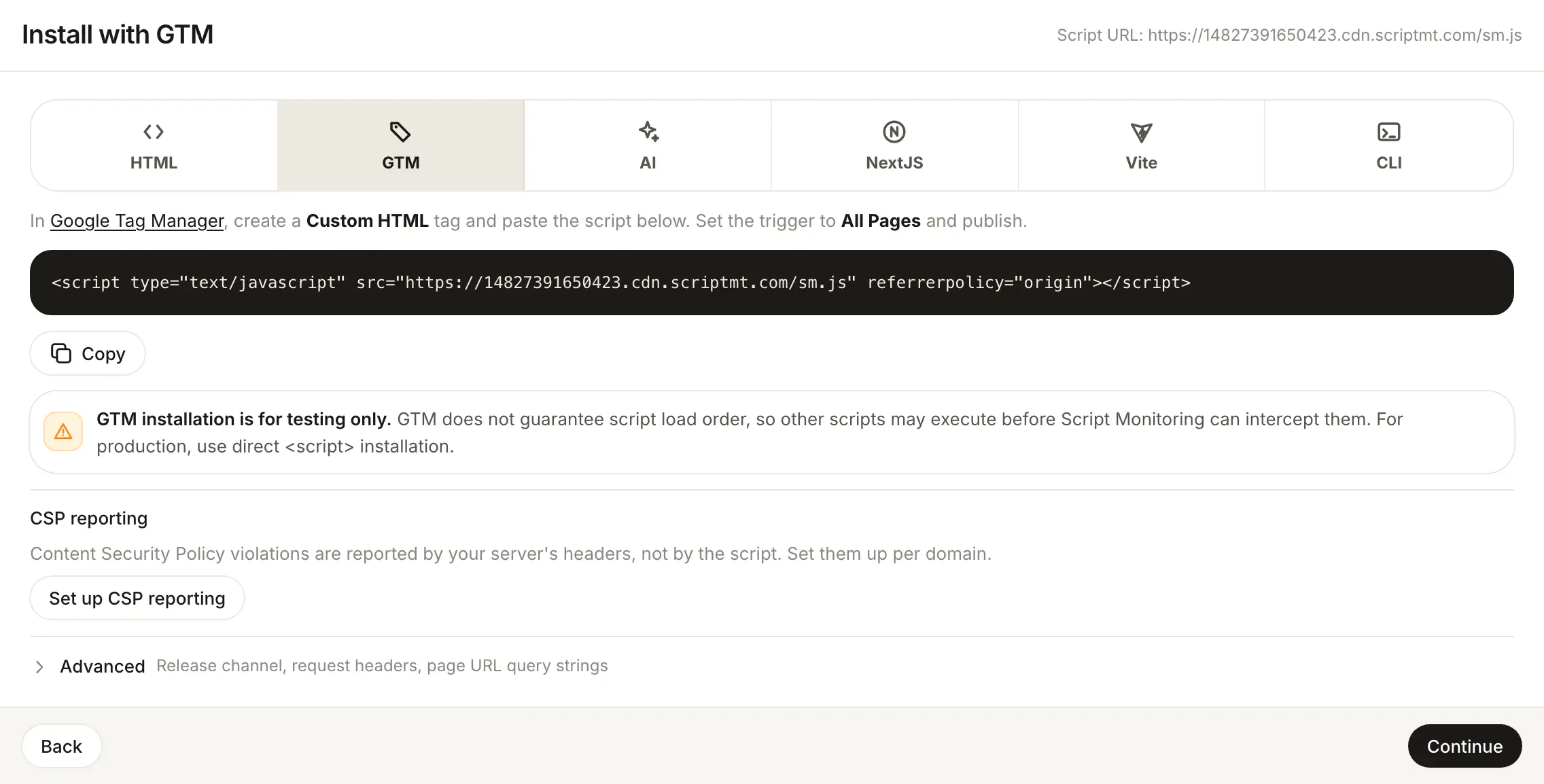
You can install Script Monitoring as a Google Tag Manager Custom HTML tag that fires on All Pages. It is the fastest way to try Script Monitoring without a code change, but the dashboard marks it as for testing only: GTM does not guarantee script load order, so other scripts may run before the tag can watch them.
For production, add the tag directly at the top of the <head>. See HTML.
How do I add the tag in GTM?#
-
In the dashboard, open Developers > Setup, go to step 3, Install, and pick GTM.
-
Copy the script tag:
<script type="text/javascript" src="https://<teamID>.cdn.scriptmt.com/sm.js" referrerpolicy="origin"></script> -
In Google Tag Manager, create a new tag of type Custom HTML and paste the script tag.
-
Set the trigger to All Pages.
-
Save and Publish the container.
-
Load a page on your site and open Setup step 5, Verify. See Verify it's working.
What does GTM miss?#
The GTM container itself loads as a script, and it decides when its tags run. Anything that starts before the Custom HTML tag fires, including scripts in your HTML above the container and scripts the container loads first, can run before Script Monitoring is watching. On a single-page app it is worse: the container loads after your bundle, so scripts your app injects at mount can run first.
What should I do once testing is done?#
Install the tag directly with HTML, Next.js, Vite or the CLI, then pause the GTM tag so the script is not loaded twice.
Frequently asked questions#
Why is GTM only for testing?
GTM does not guarantee script load order, so other scripts may execute before Script Monitoring can watch them. For production, use direct <script> installation.
Does GTM work on a single-page app?
Poorly. The container loads after your bundle, so scripts your app injects when it mounts can run before the tag is watching. Use HTML, Next.js, Vite or the CLI for production.
How do I move from GTM to a direct install?
Add the tag to your HTML (see HTML), deploy, then pause or delete the Custom HTML tag in GTM so the tag is not loaded twice.