Get startedCSP reporting
CSP reporting
Send Content Security Policy violation reports to Script Monitoring. Add the headers from the CSP setup sheet, then run the header check.
Content Security Policy (CSP) violation reports come from your server's response headers, not from the Script Monitoring tag. You add a report-only policy, or two reporting directives to the policy you already send, and browsers then report every violation to Script Monitoring. The dashboard's Set up CSP reporting sheet generates the exact headers for each domain and checks that they are live.
CSP reporting is on every plan. The number of reports shown each month depends on the plan: 50,000 on Free, 1,000,000 on Pro and 2,000,000 on Enterprise. Reports beyond the limit are still collected, just not shown.
How do I open the CSP setup sheet?#
From either of these:
- Developers > Setup, step 3, Install: under CSP reporting, click Set up CSP reporting.
- Security > CSP violations: click Set up CSP reporting, Set up this domain or Set up another domain.
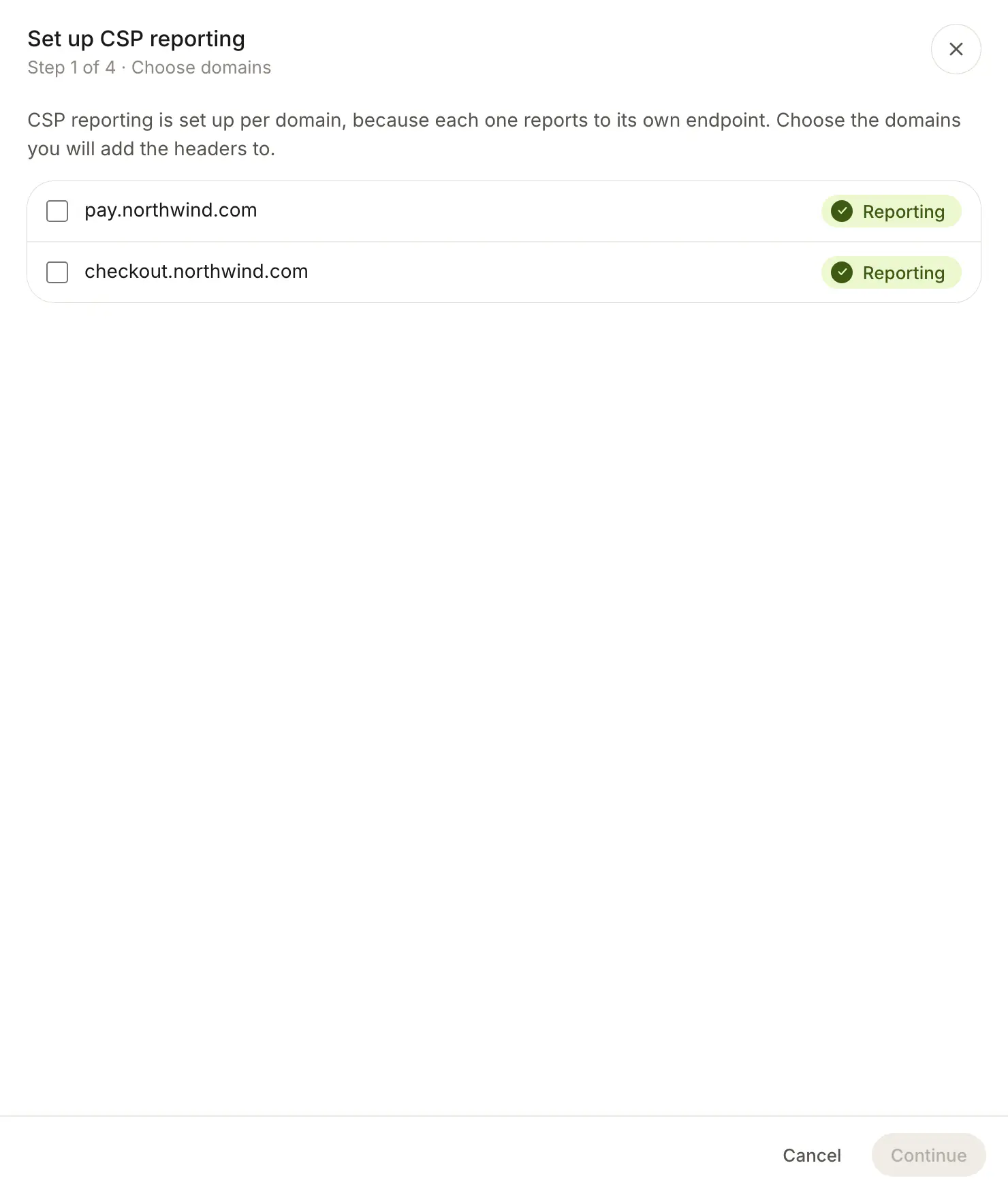
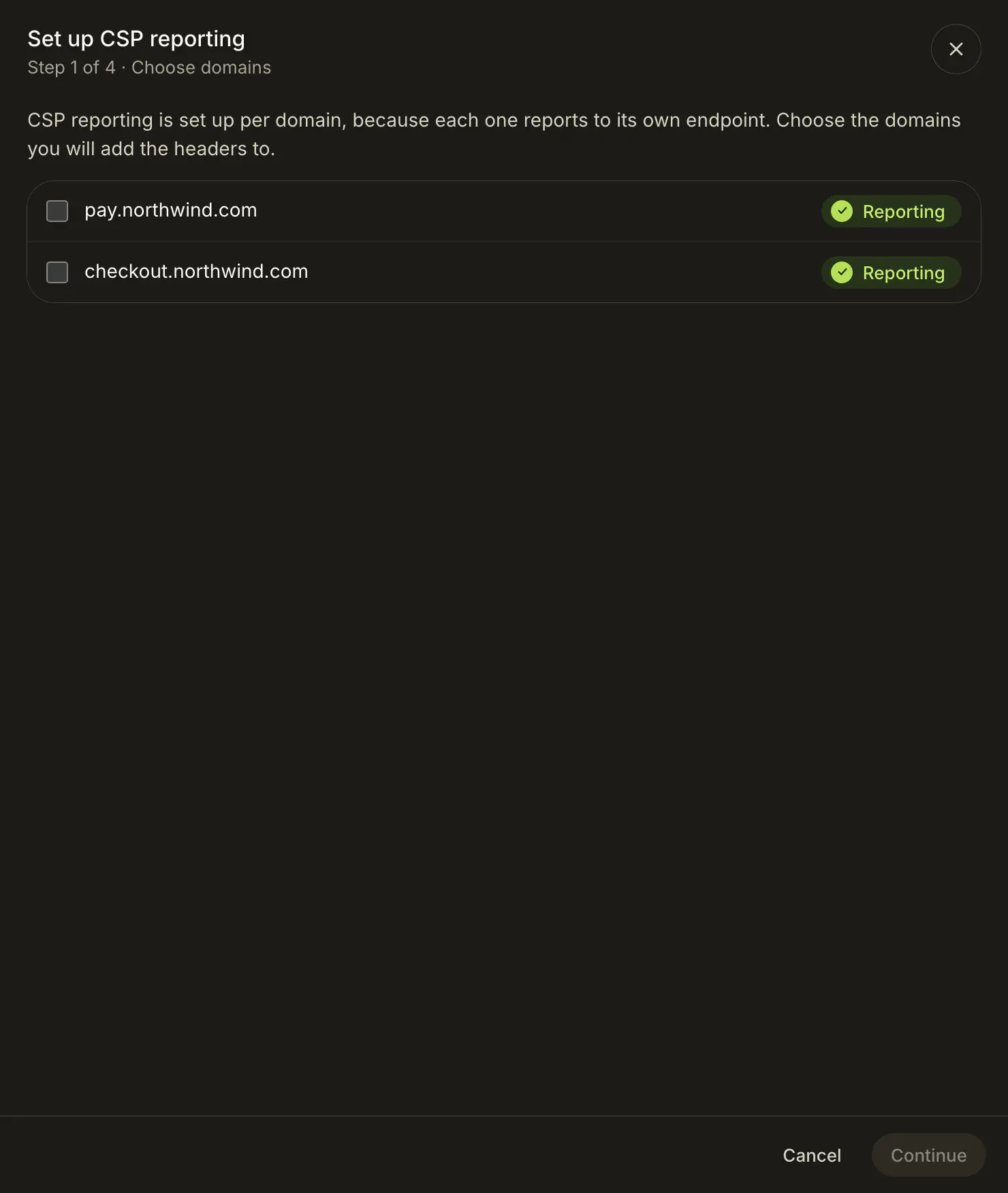
The sheet has four steps: Choose domains, Add the headers, Check the headers and Done.
How do I add the headers?#
- Choose domains. Pick the domains you will add the headers to. Each shows Reporting or Not set up. The domain in the top bar is picked for you.
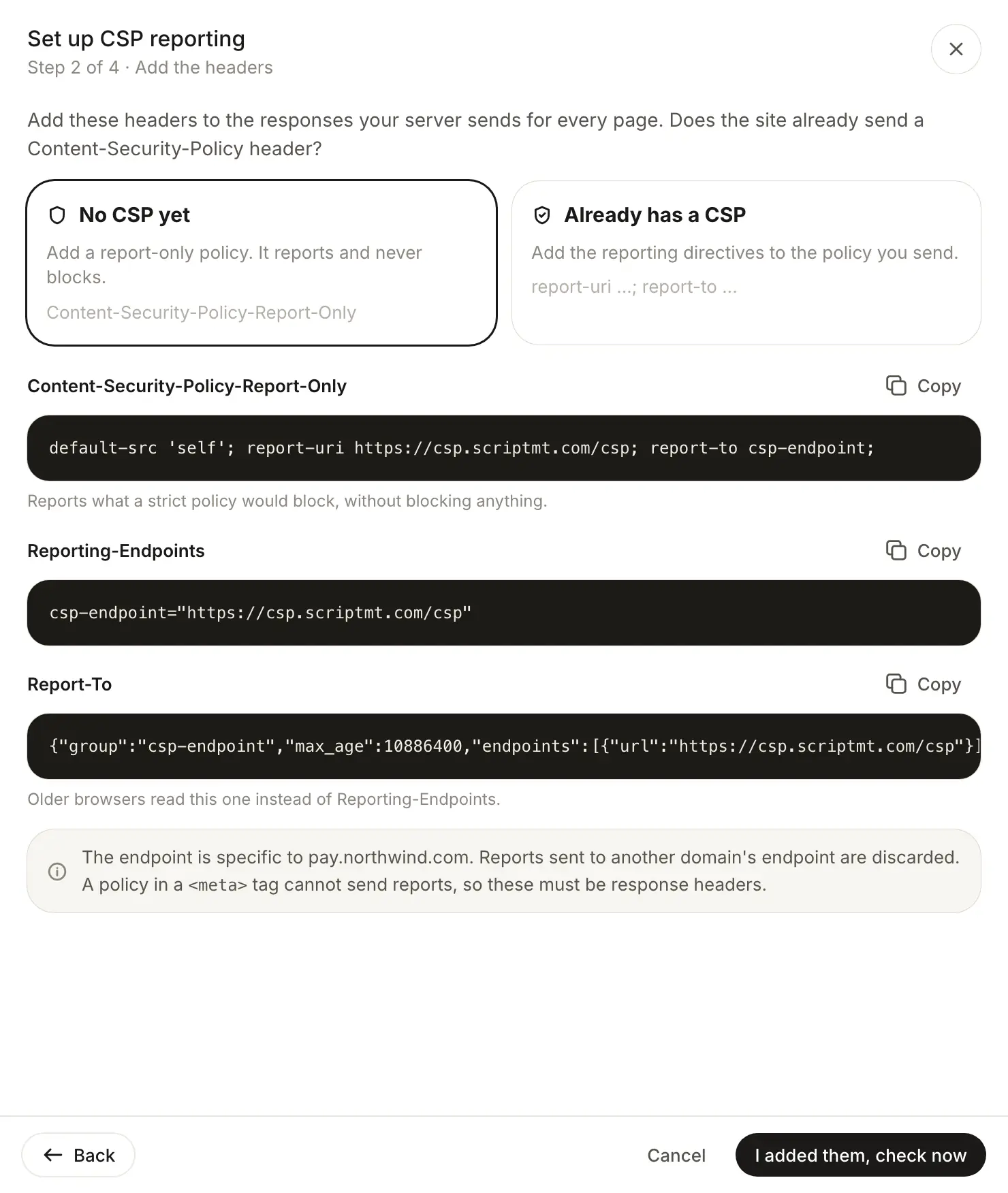
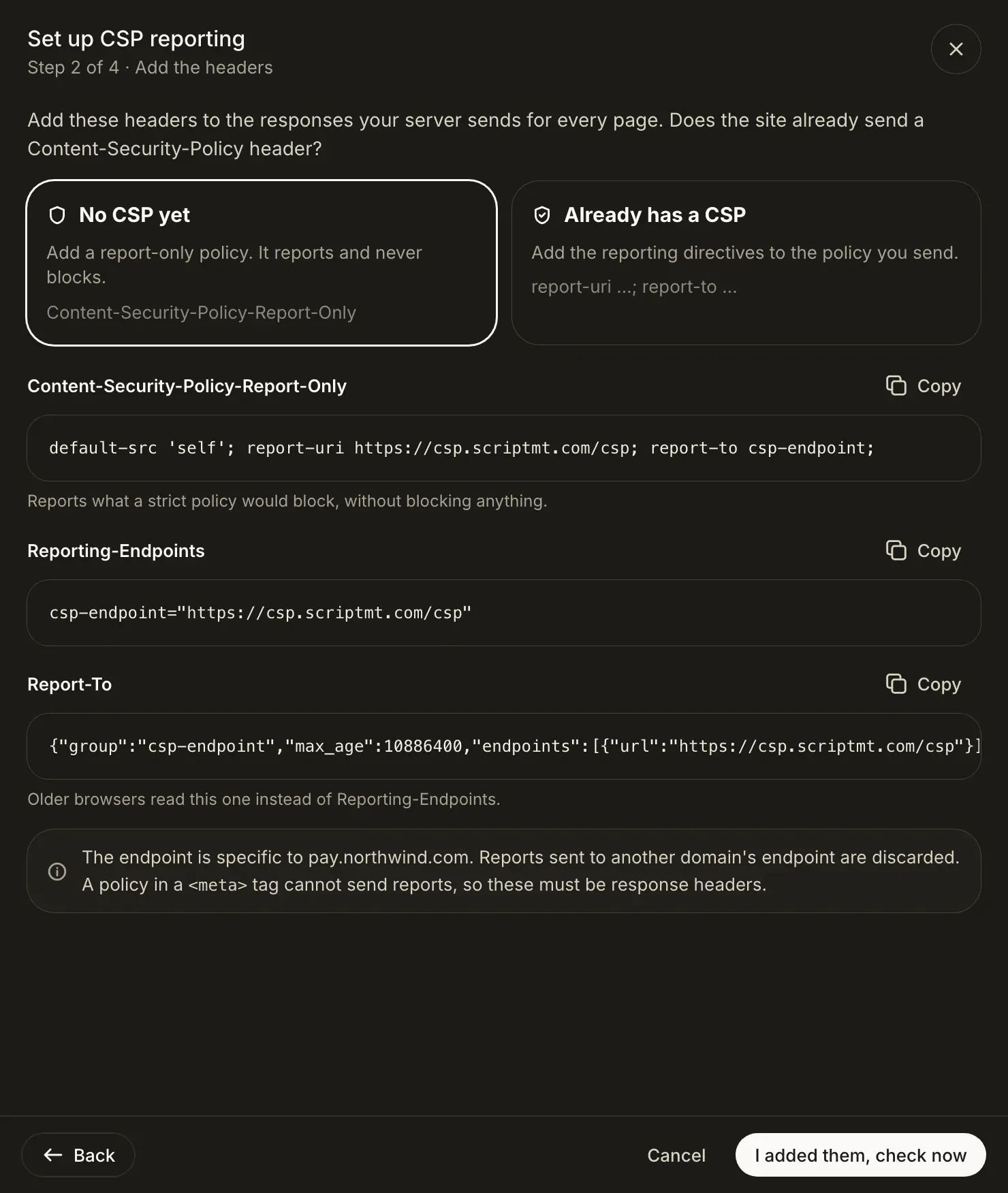
- Add the headers. Answer "Does the site already send a Content-Security-Policy header?":
- No CSP yet: add a report-only policy. It reports and never blocks.
- Already has a CSP: add the reporting directives to the policy you send.
- Copy each header with its Copy button. With several domains, use the domain tabs: every domain has its own endpoint.
- Add the headers to the responses your server sends for every page, and deploy.
- Click I added them, check now.
Which headers does Script Monitoring generate?#
For a site with no CSP yet, three headers. <endpoint> is the domain's own reporting endpoint, filled in by the sheet:
Content-Security-Policy-Report-Only: default-src 'self'; report-uri <endpoint>; report-to csp-endpoint;
Reporting-Endpoints: csp-endpoint="<endpoint>"
Report-To: {"group":"csp-endpoint","max_age":10886400,"endpoints":[{"url":"<endpoint>"}]}
For a site that already has a CSP, append two directives to the policy you send. Nothing else in it changes:
report-uri <endpoint>; report-to csp-endpoint;
and add the same Reporting-Endpoints and Report-To headers. Report-To is for older browsers, which read it instead of Reporting-Endpoints.
The endpoint is on csp.scriptmt.com:
| Domain type | Endpoint |
|---|---|
| Script tag domain | https://csp.scriptmt.com/csp |
| Agentic crawler domain | https://csp.scriptmt.com/csp/<domainID> |
Always copy the endpoint from the sheet. Reports sent to the wrong endpoint are discarded.
What do the check results mean?#
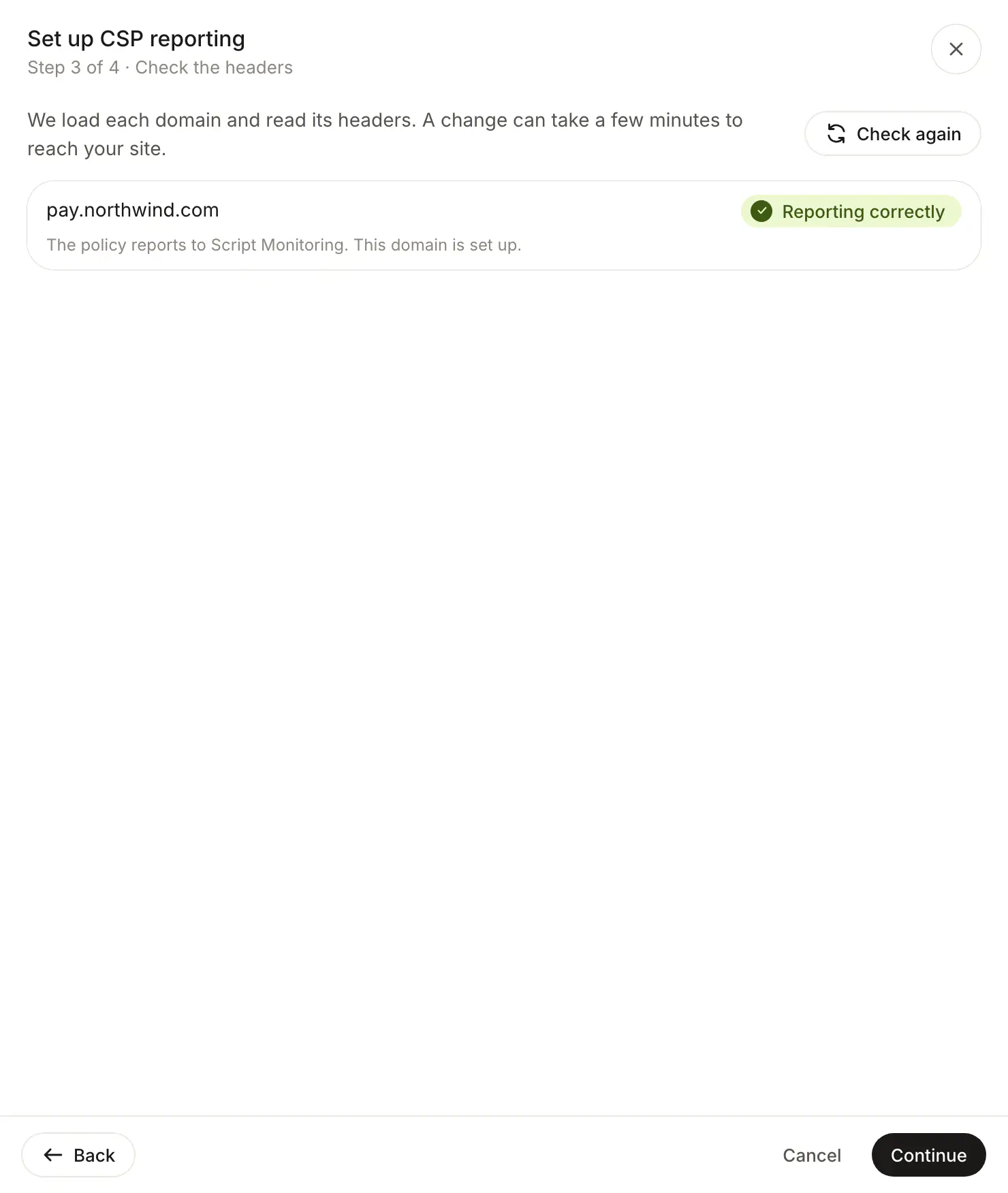
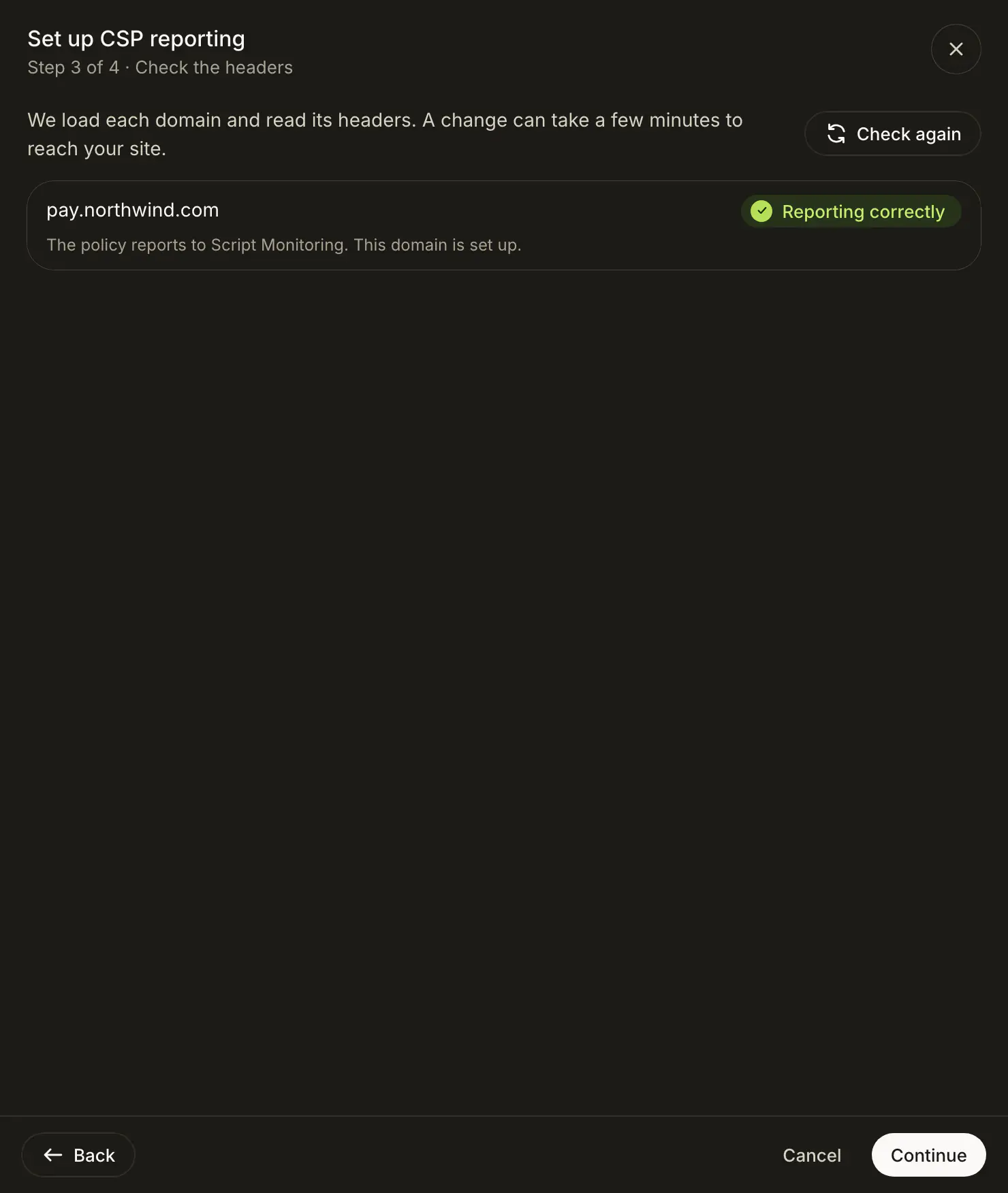
Check the headers loads each domain and reads its headers. A change can take a few minutes to reach your site; click Check again to rerun.
| Result | Meaning and fix |
|---|---|
| Reporting correctly | The policy reports to Script Monitoring. The domain is set up. |
| Not reporting to us | A policy was found, but it does not report to this domain's endpoint. Add report-uri and report-to. |
| Policy in a meta tag | The policy is in a <meta> tag, which cannot send reports. Send it as a header. |
| No CSP found | No Content-Security-Policy header was found. Deploy the headers, then check again. |
| Could not check | The check could not run, for example because the domain could not be reached. Try again in a moment. |
You can continue with Continue anyway if some domains are not ready. The Done step lists them with "Check again later", and you can rerun the check from Security > CSP violations.
Where do the reports show up?#
Violations appear on Security > CSP violations within a few minutes, and the CSP Violations stream on Diagnostics turns to Receiving.
Frequently asked questions#
Why can't the script tag send CSP reports?
Browsers only send Content Security Policy reports for policies delivered in response headers. The policy and its reporting directives have to come from your server, so CSP reporting is set up separately from the tag.
Will the report-only policy block anything?
No. Content-Security-Policy-Report-Only reports what the policy would block and never blocks. The setup sheet never offers an enforcing starter policy.
Can I put the policy in a meta tag?
A policy in a <meta> tag cannot send reports, so the check returns "Policy in a meta tag". Send it as a response header.
Why is the endpoint different for each domain?
Reports are matched to a domain by the endpoint they are sent to, and reports sent to another domain's endpoint are discarded. Copy the headers for each domain from the sheet instead of reusing one domain's headers.
Does my existing CSP need to allow Script Monitoring's own script?
If your script-src or connect-src lists specific hosts, add *.cdn.scriptmt.com to both, so the tag can load and send its findings.