# Install in a Next.js app

> Install @scriptmonitoring/next and render ScriptMonitoringScript in pages/_document.tsx or your root layout, so the tag loads first on every page.

Source: https://docs.scriptmonitoring.com/install/nextjs/ · Plan: All plans · Updated 2026-10-13

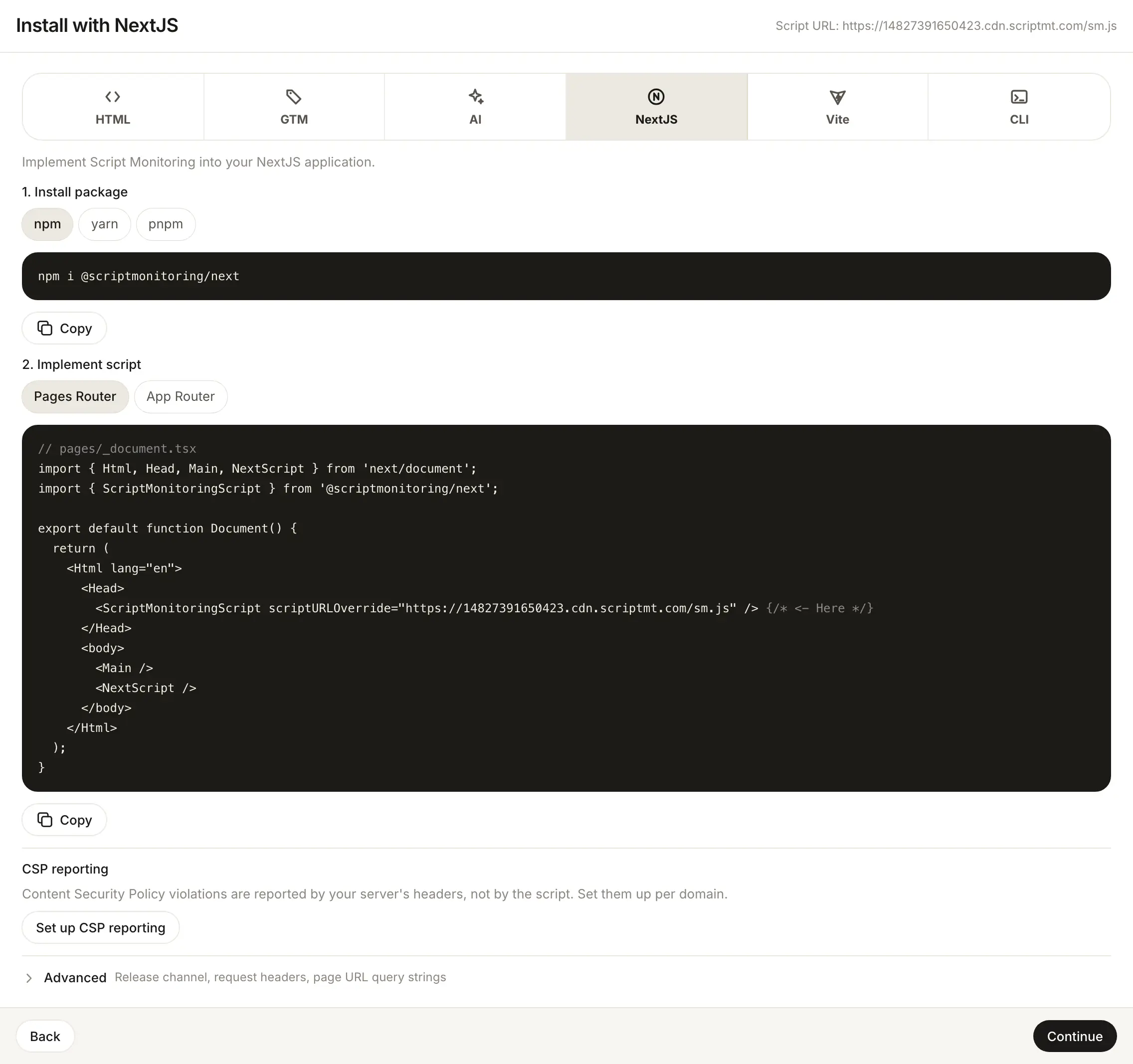
On Next.js you install Script Monitoring with the `@scriptmonitoring/next` package: render its `ScriptMonitoringScript` component in `pages/_document.tsx` (Pages Router) or your root layout (App Router). The component renders the synchronous script tag the dashboard gives every other method, so there is no `index.html` for you to edit.
![Install with Next.js: load the tag from the root layout with next/script.](https://docs.scriptmonitoring.com/screenshots/setup-install-nextjs-light.webp)

## How do I install the package?

In the dashboard, open **Developers > Setup**, go to step 3, **Install**, and pick **NextJS**. Step 1 of the panel, **Install package**, has the command for your package manager:

```shell
npm i @scriptmonitoring/next
# or
yarn add @scriptmonitoring/next
# or
pnpm i @scriptmonitoring/next
```

## How do I add the script with the Pages Router?

Render `ScriptMonitoringScript` inside `<Head>` in `pages/_document.tsx`. This is the dashboard's **Pages Router** snippet, with your script URL filled in:

```tsx
// pages/_document.tsx

export default function Document() {
  return (
    <Html lang="en">
      <Head>
        <ScriptMonitoringScript scriptURLOverride="https://<teamID>.cdn.scriptmt.com/sm.js" /> {/* <- Here */}
      </Head>
      <body>
        <Main />
        <NextScript />
      </body>
    </Html>
  );
}
```

## How do I add the script with the App Router?

Render `ScriptMonitoringScript` in your root layout, before `{children}`. This is the dashboard's **App Router** snippet:

```tsx
// layout.tsx

export default function Layout({ children }) {
  return (
    <>
      <ScriptMonitoringScript scriptURLOverride="https://<teamID>.cdn.scriptmt.com/sm.js" /> {/* <- Here */}
      {children}
    </>
  );
}
```

## What does ScriptMonitoringScript render?

A plain `<script>` element with your script URL as `src`, `referrerpolicy="origin"`, and `async` and `defer` turned off. You can pass either prop:

| Prop | Value |
| --- | --- |
| `scriptURLOverride` | Your full script URL, as in the dashboard snippet. |
| `teamId` | Your team ID. Builds `https://<teamID>.cdn.scriptmt.com/sm.js`. Takes priority over `scriptURLOverride`. |

Once it is deployed, load a page and check [Verify it's working](https://docs.scriptmonitoring.com/verify/).

## Frequently asked questions

### Should I use teamId or scriptURLOverride?

Either loads the same script. The dashboard snippet passes your full script URL as `scriptURLOverride`. `teamId="<teamID>"` builds the same `https://<teamID>.cdn.scriptmt.com/sm.js` URL, and wins if you pass both.

### Why not use next/script?

Every `next/script` strategy loads the script after the page's own scripts can start. `ScriptMonitoringScript` renders a synchronous tag instead.

### Does it work with the App Router and the Pages Router?

Yes. The dashboard has a snippet for each. Pick **Pages Router** or **App Router** in step 3.

## Related

- [Install the script tag](https://docs.scriptmonitoring.com/install/)
- [Verify it's working](https://docs.scriptmonitoring.com/verify/)
